Chinese Writing Practice Book for Kids: Your KDP Interior Simplified
Designing a workbook that helps children master Chinese characters is a rewarding project, but getting the interior layout just right can take hours of trial and error. A ready-to-use Chinese writing practice book for kids KDP interior removes the guesswork. You get a professionally built framework that you can adapt, brand, and publish—without wrestling with grids, margins, or bleed settings from scratch.
What Makes This Chinese Writing Practice Book Interior Stand Out?
Not all printable interiors are created equal. This one focuses on what matters most when young learners sit down with a pencil: clean, distraction-free pages where strokes stand out clearly. The file set includes everything a self-publisher needs to produce a high-quality paperback, from vector-based master files to print-ready PDFs.
Precision Layouts Designed for Little Hands
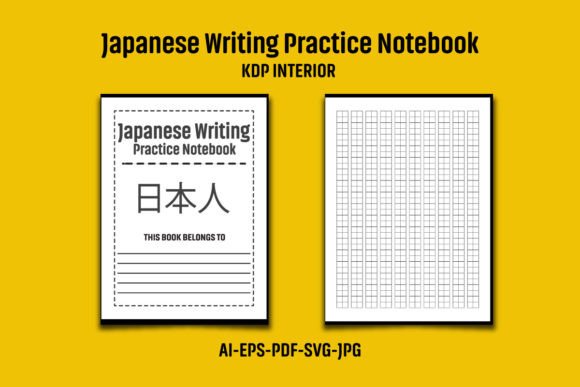
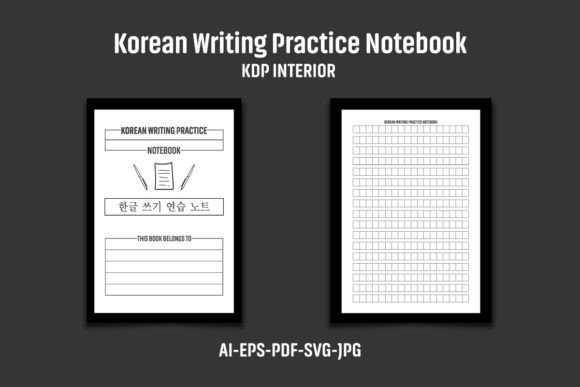
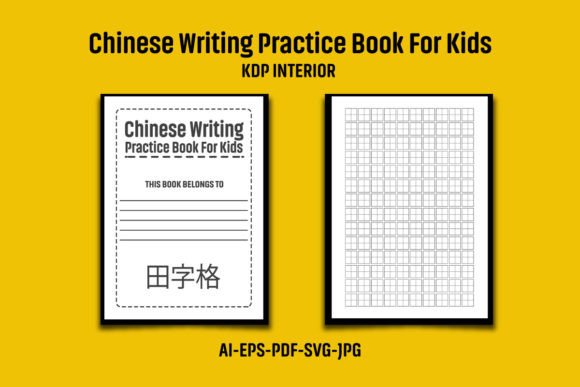
The interior uses a spacious 8.5″×11″ inch format that gives kids plenty of room to form each character. With bleed included, the overall dimensions stretch to 8.62 × 11.25 inches—a vital detail for KDP’s trim requirements. Each page features a consistent grid structure, often referred to as tian zi ge or mi zi ge, which guides stroke placement while keeping the writing area neat. The 120-page count is long enough for sustained practice yet manageable for a paperback spine.
High Resolution and Easy Color Tweaks
At 300 DPI, every line prints crisply. The files are black and white by default, which keeps printing costs low and aligns perfectly with KDP’s requirements for interior pages. However, if you ever want to add a soft accent color to the grid lines or insert a character reference guide, the vectors make swapping colors straightforward. Just open the AI or EPS file in Illustrator CS6 or later and adjust to your liking.
Who Can Benefit from a Ready-Made KDP Interior?
You don’t need to be a graphic designer to publish on Amazon. This Chinese writing practice book for kids interior serves a broad group of people:
- Parents and bilingual families who want a custom practice journal for their children that matches the exact characters they’re learning at home or in weekend school.
- Teachers and tutors looking to produce tailored handwriting booklets for Mandarin immersion programs or after-school clubs.
- KDP entrepreneurs building a low-content publishing brand. Chinese language learning materials enjoy steady demand, and having a reliable interior helps scale a catalog quickly.
- Freelancers and designers who create book interiors for clients and need a solid foundation they can modify without starting from a blank canvas.
Inside the Download: File Formats and What They Mean for You
When you receive the ZIP package, you’ll find a carefully organized collection. Unpacking it gives you everything needed for both editing and direct upload. Here’s what each format brings to the table:
- AI File – The Adobe Illustrator source file. Editable in CS6 or newer, it lets you tweak every element. Use this to add your logo, change grid line weights, or adjust spacing.
- EPS File – A universal vector format compatible with alternative programs like CorelDRAW or Affinity Designer. Handy if you don’t use Illustrator.
- PDF File – The print-ready version. Pre-set to 120 pages at the correct size with bleed. You can often upload this directly to KDP, though you should still review it in a print previewer.
- SVG File – Ideal for web-based editors or projects where you need scalable elements. Good for creating matching marketing graphics or preview images.
- JPG Files – High-resolution raster versions. Quick to drop into other design tools or use as page mockups when building your product listing.
All files are compressed in one ZIP to keep the package tidy. Use WinZIP, WinRAR, or simply double-click to extract them before you start working.
How to Use the Interior to Build Your KDP Business
Launching a book is straightforward once you understand the workflow. Start by extracting the ZIP folder and opening the AI or EPS file in your editing software. Before you do anything else, save a copy so you always have the original master file intact.
Now, think about branding. Adding your logo or a small graphic to an interior page—perhaps on a title page or a “This Book Belongs To” page—is a smart step. It personalizes the product and, more importantly, helps you comply with Amazon’s emphasis on unique content. Even a simple illustration or a decorative header on the first page can distinguish your book from others that might use the same base interior.
Once you’ve made your edits, export a new PDF and double-check the dimensions. KDP will ask you to confirm the trim size (8.5″×11″) and that you included bleed. Run through the online previewer to catch any alignment issues. Then upload the PDF as your interior file, fill in your book’s title, description, and keywords, and you’re ready to publish.
A Closer Look at the Learning Value: Why Chinese Character Practice Matters
Writing Chinese characters is not just about memorizing shapes. It develops fine motor skills, visual-spatial awareness, and an understanding of stroke order that solidifies reading comprehension. A well-structured Chinese writing practice book for kids breaks down this complex process. Large squares with cross-dashed guides help children place radicals correctly and build muscle memory. When parents or teachers use a printed workbook rather than loose sheets, the practice feels more official and engaging. It becomes a record of progress that the child can look back on with pride.
From a publisher’s point of view, tapping into this learning journey with a thoughtfully laid-out interior means you’re offering real value. You’re not just selling paper; you’re providing a tool that supports heritage language maintenance, academic advancement, or a new skill for curious minds.
Important Considerations Before You Hit Publish on KDP
While a pre-made interior cuts your workload dramatically, publishing a successful product still requires attention to detail. Keep the following in mind to avoid common hiccups.
Customizing to Avoid Duplicate Content Flags
Amazon’s systems can flag interiors that appear identical across multiple listings. As noted in the product information, you need to add your own logo or graphic to the interior page before uploading. This is not just a precaution—it’s a best practice that protects your account health. A small emblem on the footer area or a custom frontice page is usually enough to differentiate your book.
Beyond the logo, consider tailoring the interior with a few unique pages. For example, you might include a stroke order reference chart at the beginning or end, a certificate of completion, or a page of motivational stickers (as black-and-white outlines). These additions enhance the child’s experience and strengthen your book’s originality.
File Handling and Software Requirements
The source files are compatible with Illustrator CS6 and above, which is an older but stable version. If you’re using newer Adobe Creative Cloud apps, you’ll have no trouble. For those on a tight budget, free alternatives like Inkscape can open SVG or EPS formats, though you should verify that all layers and paths stay intact before exporting your final PDF.
Remember that the images, text, and mockups shown in product presentations are for demonstration only. You receive the clean interior files—without placeholders or sample text—giving you a blank slate to work with.
Turning a Simple Interior into a Market-Ready Product
A successful KDP title is more than its pages. Pair this Chinese writing practice book for kids interior with a cover that speaks to parents. Think bright colors, playful illustrations, and clear titles that mention age range or learning stage. Use keywords like “Chinese handwriting workbook for children,” “Mandarin character practice,” and “beginner calligraphy for kids” in your listing.
Consider seasonal angles too. A “Summer Chinese Practice Journal” or “Back-to-School Character Drills” can attract buyers looking for themed materials. Because the interior is easy to recolor (though largely black and white), you could even release a version with lightly shaded grid lines for younger children who need extra guidance.
Publishing a workbook doesn’t require you to reinvent the wheel. With a ready-made interior designed at 300 DPI, pre-sized with bleed, and packaged in multiple editable formats, you can focus on what you do best: creating a product that resonates with your audience. By adding your personal touches and understanding the simple technical steps, you turn a digital asset into a physical book that lands in the hands of eager learners—and that’s a very satisfying outcome.